Automate any workflow in Notion.
No code required.
React to database changes in real time. Build with a visual editor or write code — your choice.
React to changes in real time
PowerUp uses real-time webhooks to detect when records are created, updated, or deleted in your Notion databases. No polling, no delays — your flow runs the moment something changes.
- Created — new page added to database
- Updated — property values changed (with change detection)
- Deleted — page archived or removed
- Scheduled — run on a recurring hourly or daily schedule
- Webhook — trigger from external services via URL
- Email Received — run when an inbound email arrives for a record
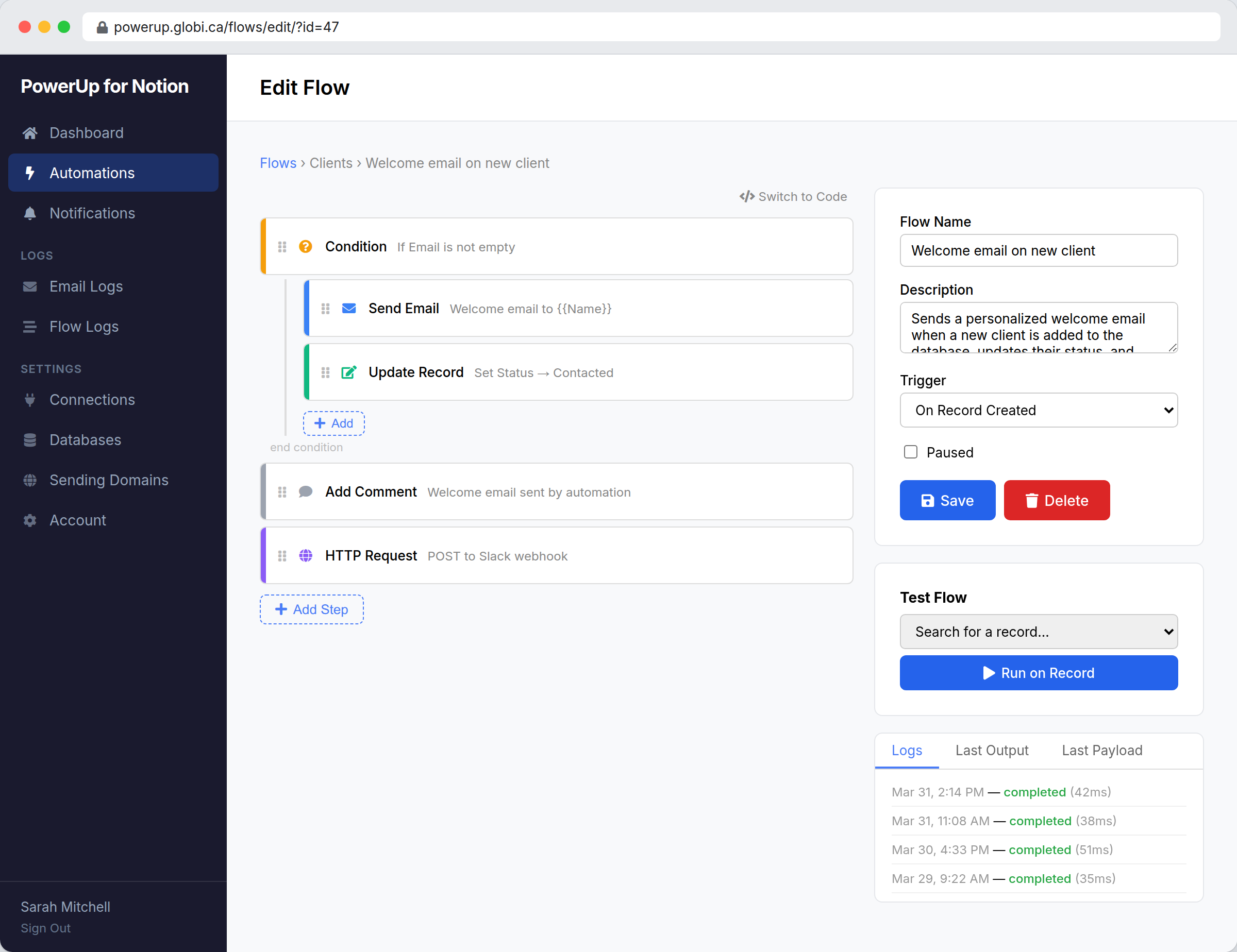
Visual builder for point-and-click setup
Build automations without writing a single line of code. Drag and drop blocks to query databases, set conditions, update records, send emails, and chain actions together. Each block is configured with a simple form — pick properties from a dropdown, set values, and go.
- Drag-and-drop block editor
- Conditions with if/else branching
- Property change detection (“run only when Status changes to Done”)
- Token picker for inserting record values into fields
- Nested blocks for complex logic
Let AI build it for you
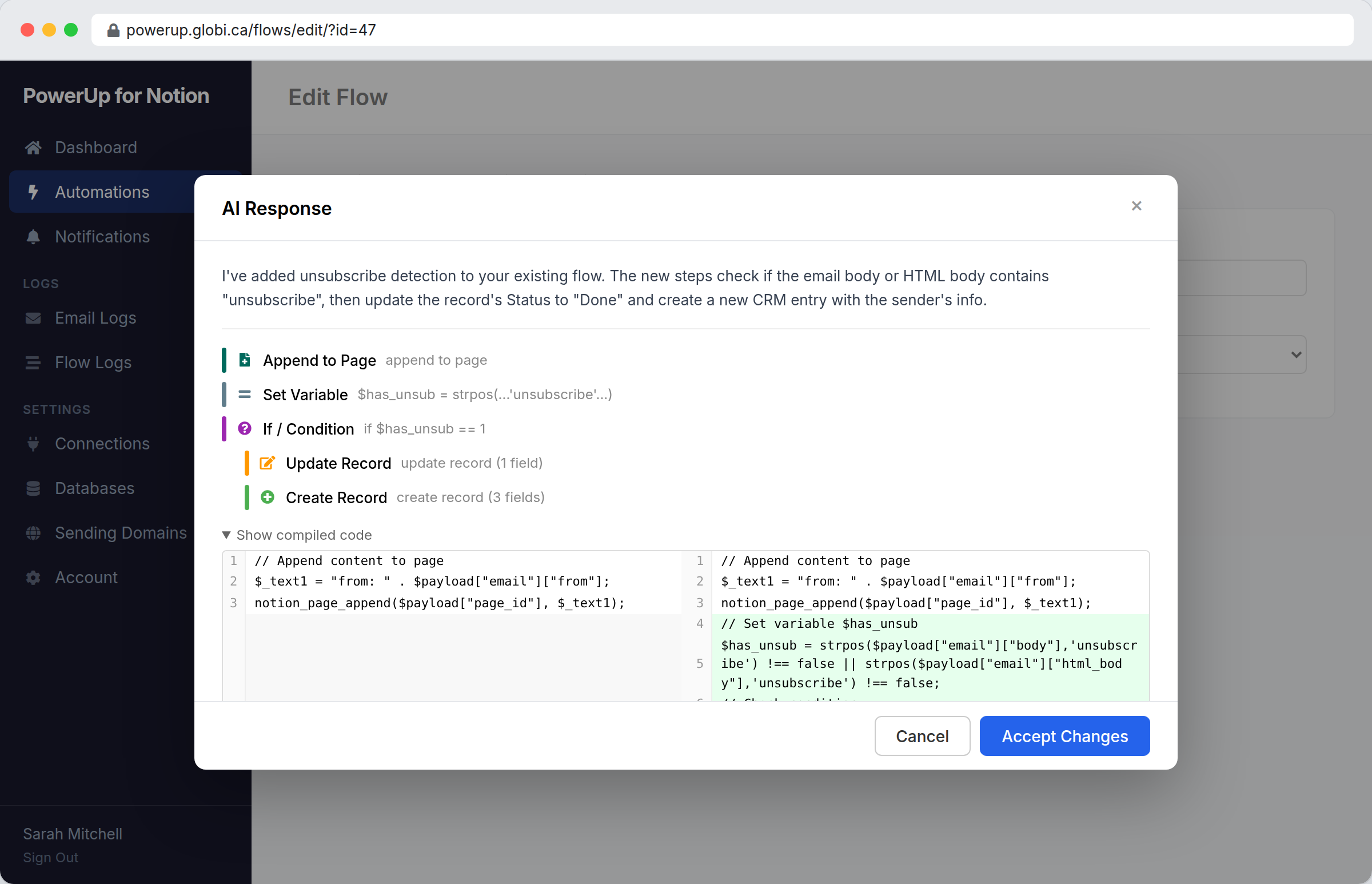
Don’t know where to start? Type what you want in the AI prompt bar and let the assistant do the work. It reads your database schema, picks the right blocks or writes the code, and shows you a preview before applying anything.
- “Send a welcome email when a new contact is added”
- “When Status changes to Done, notify the assignee”
- “Every Monday, email me a summary of overdue tasks”
- Ask follow-up questions to iterate on the result
- Works in both visual builder and code mode
Code mode for full control
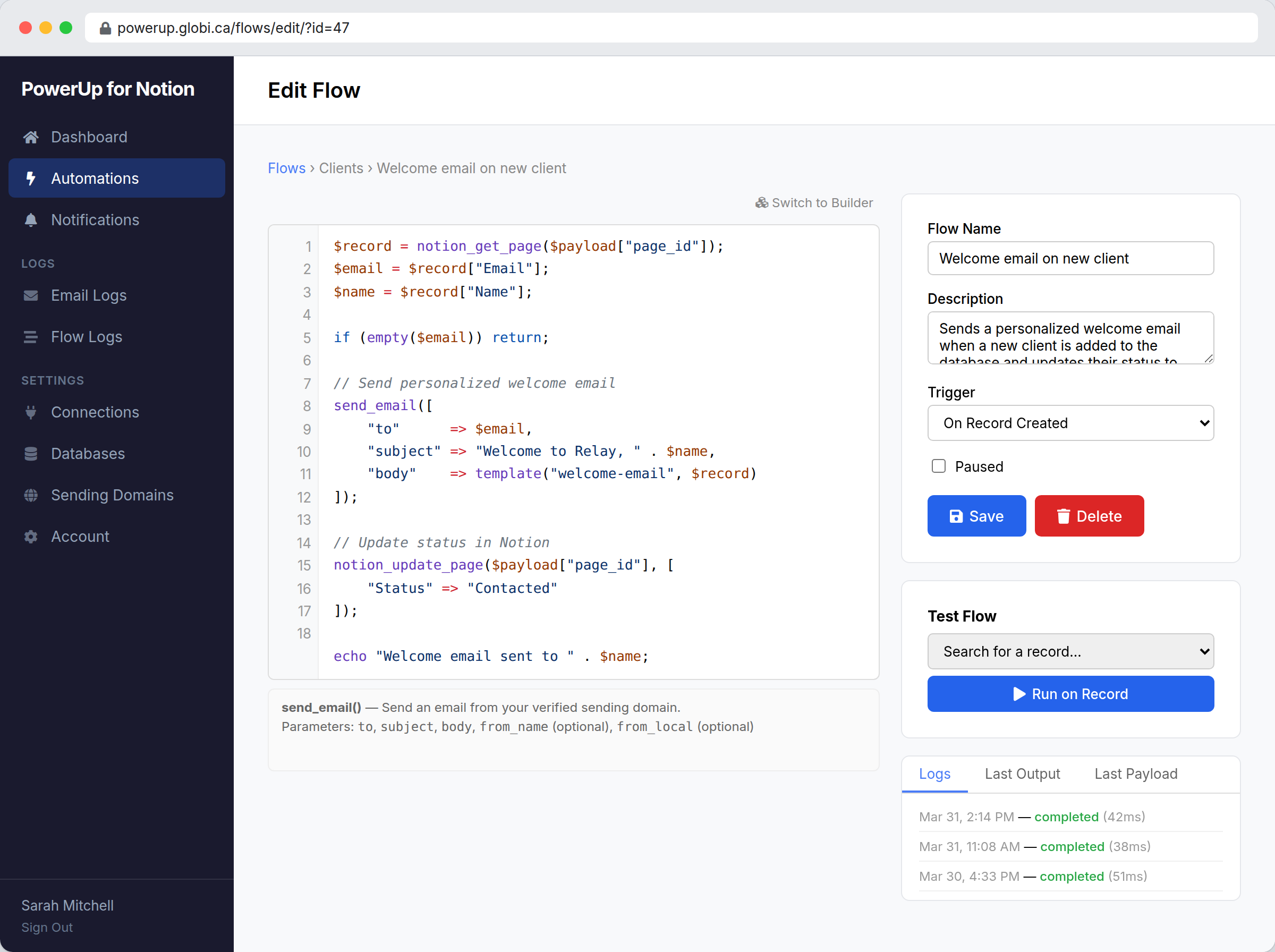
Switch to code mode and write PHPScript — a PHP-compatible scripting language with built-in Notion and email functions. Access the full event payload, implement complex logic, and do things that go beyond what blocks can express.
- PHP-compatible syntax that’s familiar from day one
- Built-in functions:
notion_get_page(),notion_update_page(),send_email(),http_post() - Syntax highlighting and autocomplete
- Context-sensitive help panel
- Switch freely between visual builder and code mode
Built-in actions for everything you need
Every action is available as a visual block or a code function. Interact with Notion, send email, and connect to external services — all from a single flow.
- Query databases with filters and sorting
- Create and update records with automatic property type conversion
- Add comments to Notion pages
- Append content (blocks) to pages
- Send email from your verified domain
- HTTP requests to external APIs (Slack, Zapier, custom webhooks)
- Store variables across runs for counters and state
Change detection
Know exactly which properties changed on an update event. Use “changed” and “changed to” conditions in the builder to run logic only when specific fields are modified.
Send notification only when Status changes to “Done”
Ignore other property changes. React only to the specific transition you care about.
Detect when Assignee changes
Notify the new assignee via email and update related records automatically.
Track when Deal Value is updated
Post to a Slack channel whenever a deal’s value changes above a threshold.
Run only when Priority is set to Urgent
Skip routine updates but escalate immediately when something becomes urgent.
Test, debug, and inspect
Every flow execution is logged with status, output, errors, and timing. Test any flow against a real record before activating it. View the payload your flow receives and inspect variable state at every step.
- Test against real records without activating the flow
- View test output in real time
- Execution logs with timing and error details
- Inspect the full payload received by the flow
- Pause and resume flows at any time
Example automations
Here are some of the most common flows teams build with PowerUp.
Welcome email on new client
When a new contact is added to your CRM database, send a personalized welcome email and update their status to “Contacted.”
Slack notification when deal closes
When a deal’s Status changes to “Won,” post a celebration message to your team’s Slack channel via webhook.
Weekly pipeline digest
Every Monday at 9 AM, query your deals database and email a summary of open deals, total pipeline value, and deals closing this week.
Auto-reply to support tickets
When a new ticket is created, send an acknowledgment email to the customer with the ticket number and expected response time.
Route inbound emails by subject
When a customer replies, check the subject line and update the record’s status or assign it to the right team member automatically.
Frequently asked questions
notion_get_page() and send_email() that simplify common operations.http_post() / http_get() in code mode) lets you call any external URL. Teams commonly use this to post to Slack, trigger Zapier webhooks, or sync data with CRMs.Automate your Notion workflows
Connect your workspace and build your first automation in minutes. 14-day free trial.
Start Free Trial