Everything you need to put email
and automation inside Notion.
One platform. Two superpowers. Zero context-switching.
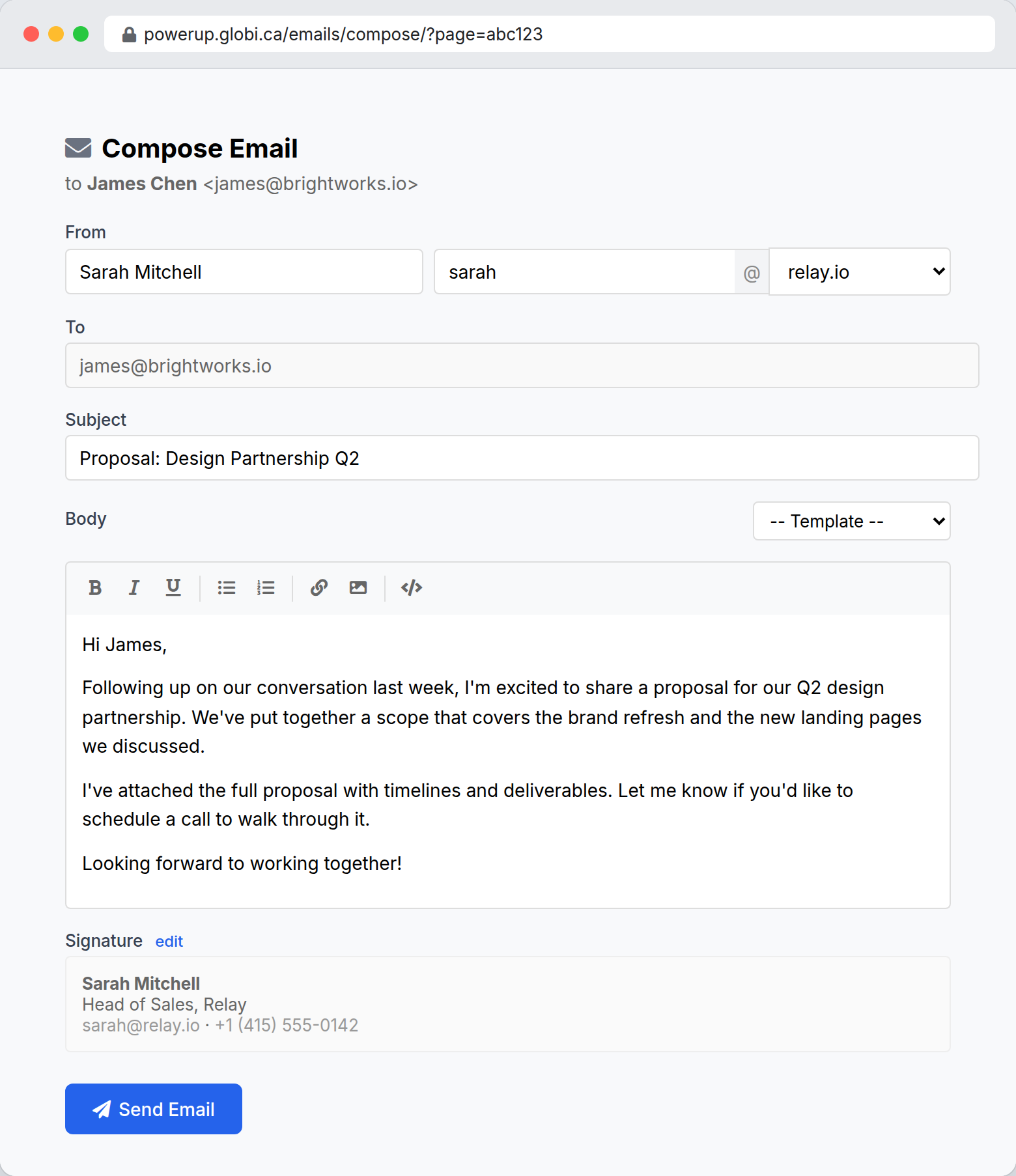
Send email from any record
Every database record gets a compose link and a unique reply address. Click the link, write your email, and send — without switching apps. The recipient sees your own domain, not a third-party sender.
- Compose directly from Notion database records
- Send from your own domain with DKIM/SPF authentication
- Email templates with merge fields for personalization
- Rich text editor with formatting, links, and images
Track every email you send
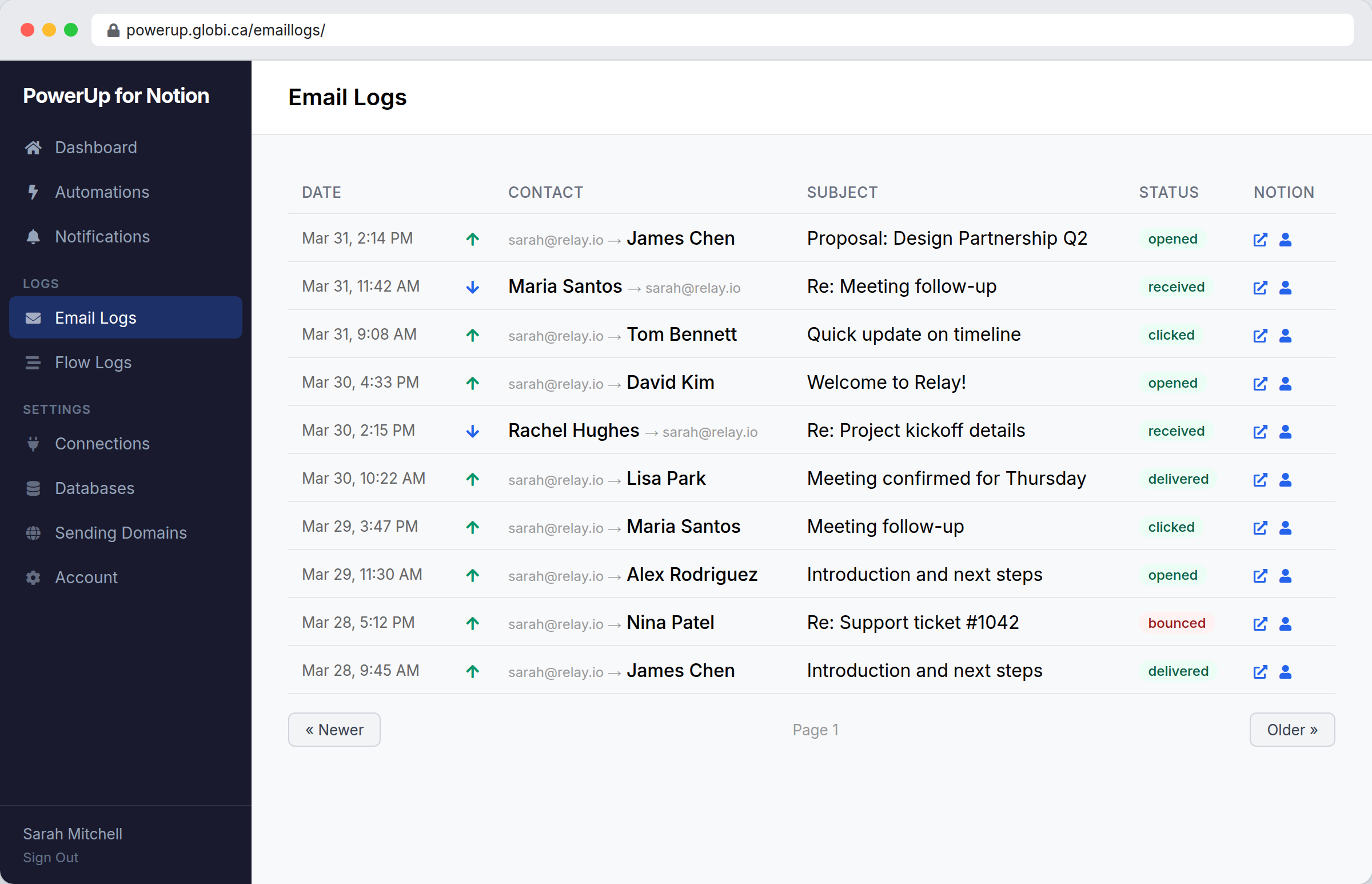
Know exactly what happened to every message. Open tracking, click tracking, bounce handling, and delivery status — all visible in a single log view with links back to the Notion record.
- Open tracking (pixel-based, per-recipient)
- Click tracking (link rewriting with original URL preserved)
- Bounce and complaint handling
- Inbound email routing with thread matching
- Direct links to Notion records from every log entry
Build automations visually
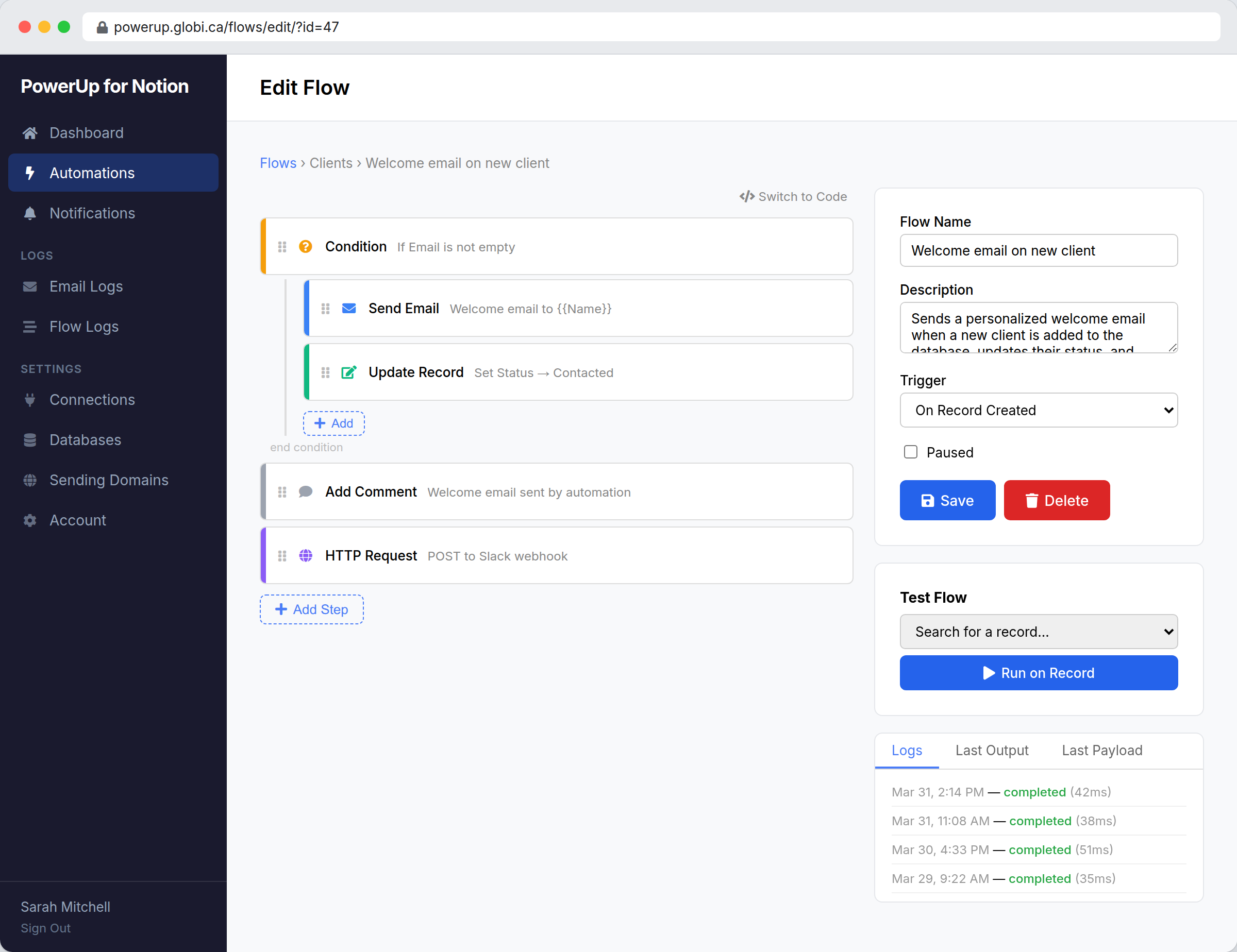
Drag and drop blocks to create workflows that react to database changes. Set conditions, send emails, update records, add comments, and call external APIs — all from a visual builder. No code required.
- Triggers: record created, updated, deleted, scheduled, webhook, or email received
- Conditions with property change detection
- Built-in actions for Notion, email, and HTTP
- Nested logic with if/else blocks
- Drag-and-drop reordering
AI builds your automations
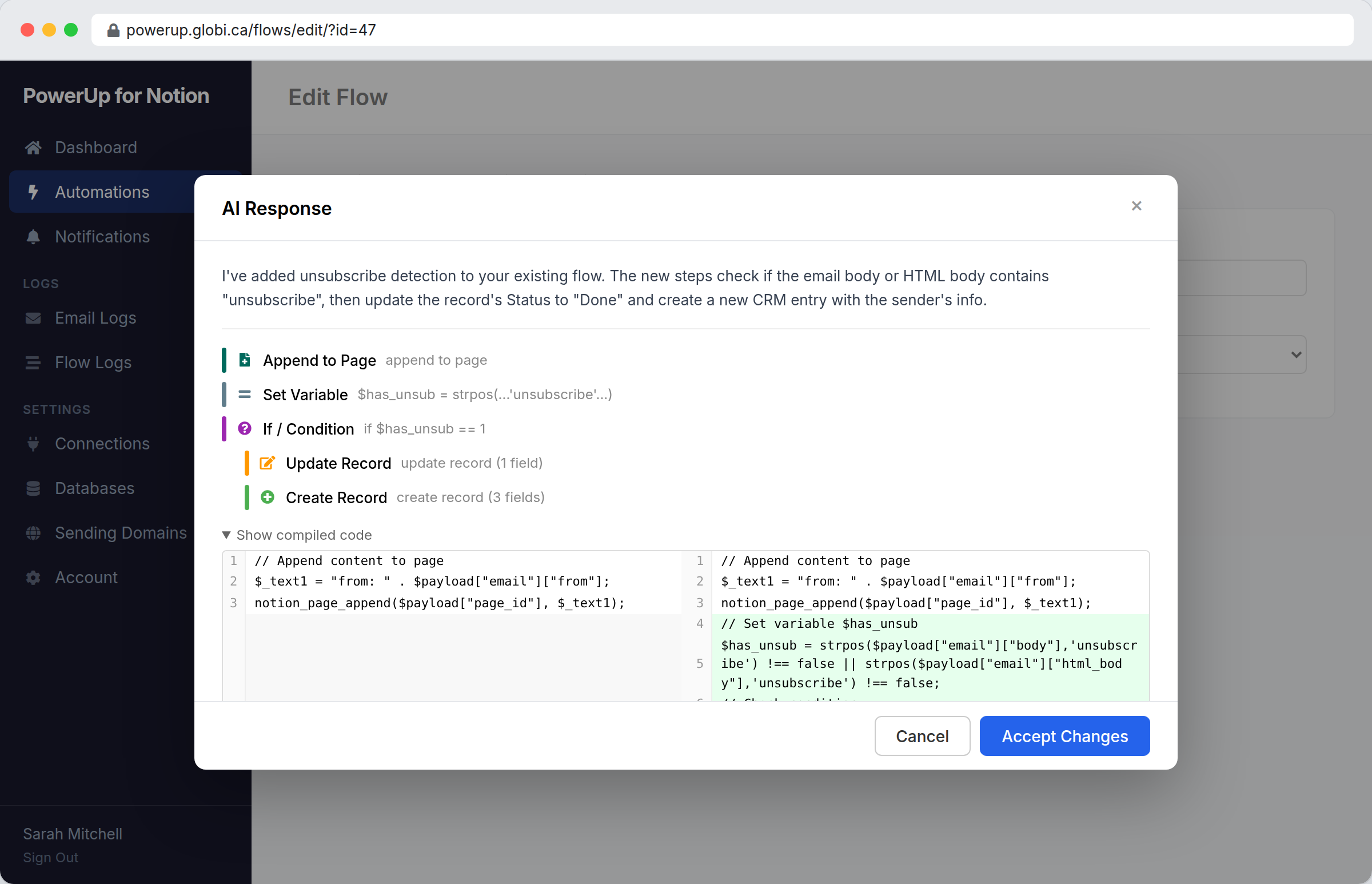
Describe what you want in plain English, and the AI assistant generates a working flow. It knows your database fields, understands all trigger types, and builds the right blocks or code for you. Review the result, click accept, and you’re done.
- Natural language to working automation in seconds
- Reads your database schema — uses real field names automatically
- Works in both visual builder and code mode
- Iterative — ask follow-up questions to refine the flow
- Preview changes before applying
Full control with code mode
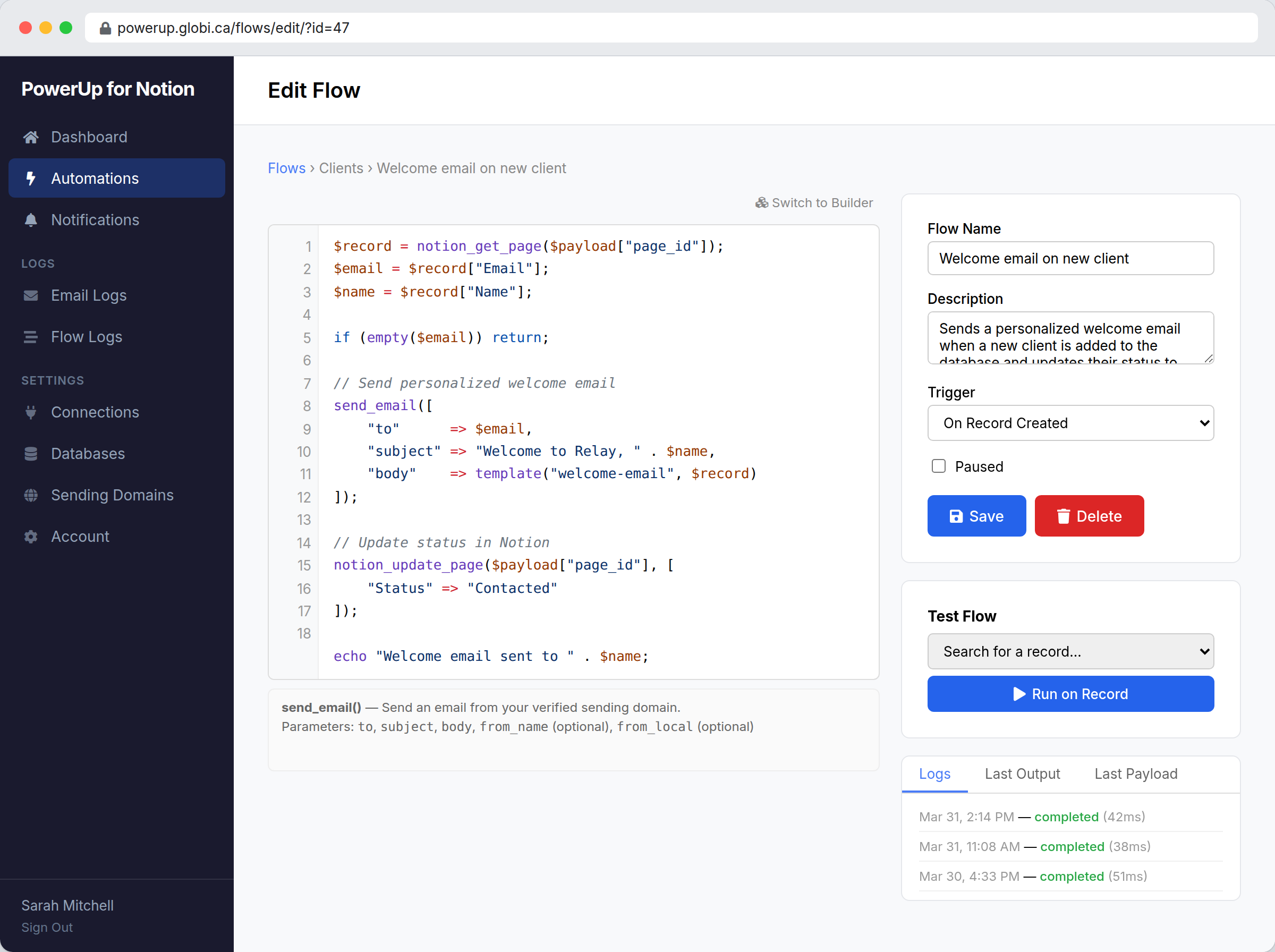
Switch to code mode and write PHPScript — a PHP-compatible scripting language with built-in Notion functions. Access the full event payload, query databases, update records, send email, make HTTP requests, and implement any logic you need.
- PHP-compatible syntax (PHPScript)
- Built-in functions:
notion_get_page(),send_email(),http_post() - Syntax highlighting and autocomplete
- Context-sensitive help panel
- Test against real records before activating
Notion is the system of record
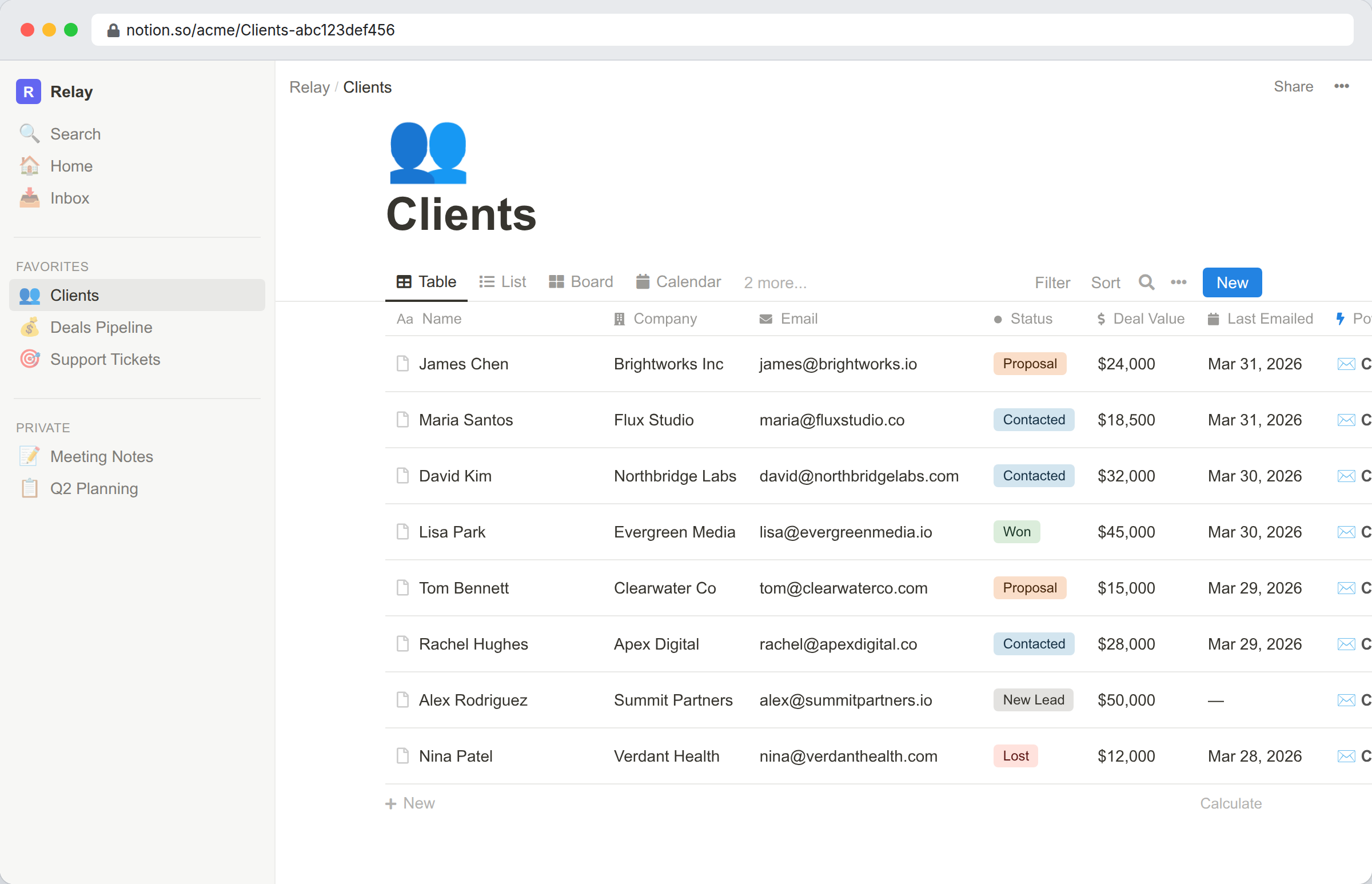
PowerUp doesn’t replace Notion — it extends it. Emails are stored as sub-pages, automations read and write your existing properties, and everything stays inside your workspace. If you disconnect PowerUp, your data stays.
- OAuth connection — secure, revocable at any time
- Real-time webhooks for instant triggers (no polling)
- Emails stored as Notion sub-pages with full content
- Rate-limited API calls that respect Notion’s limits
- All data stays in your Notion workspace
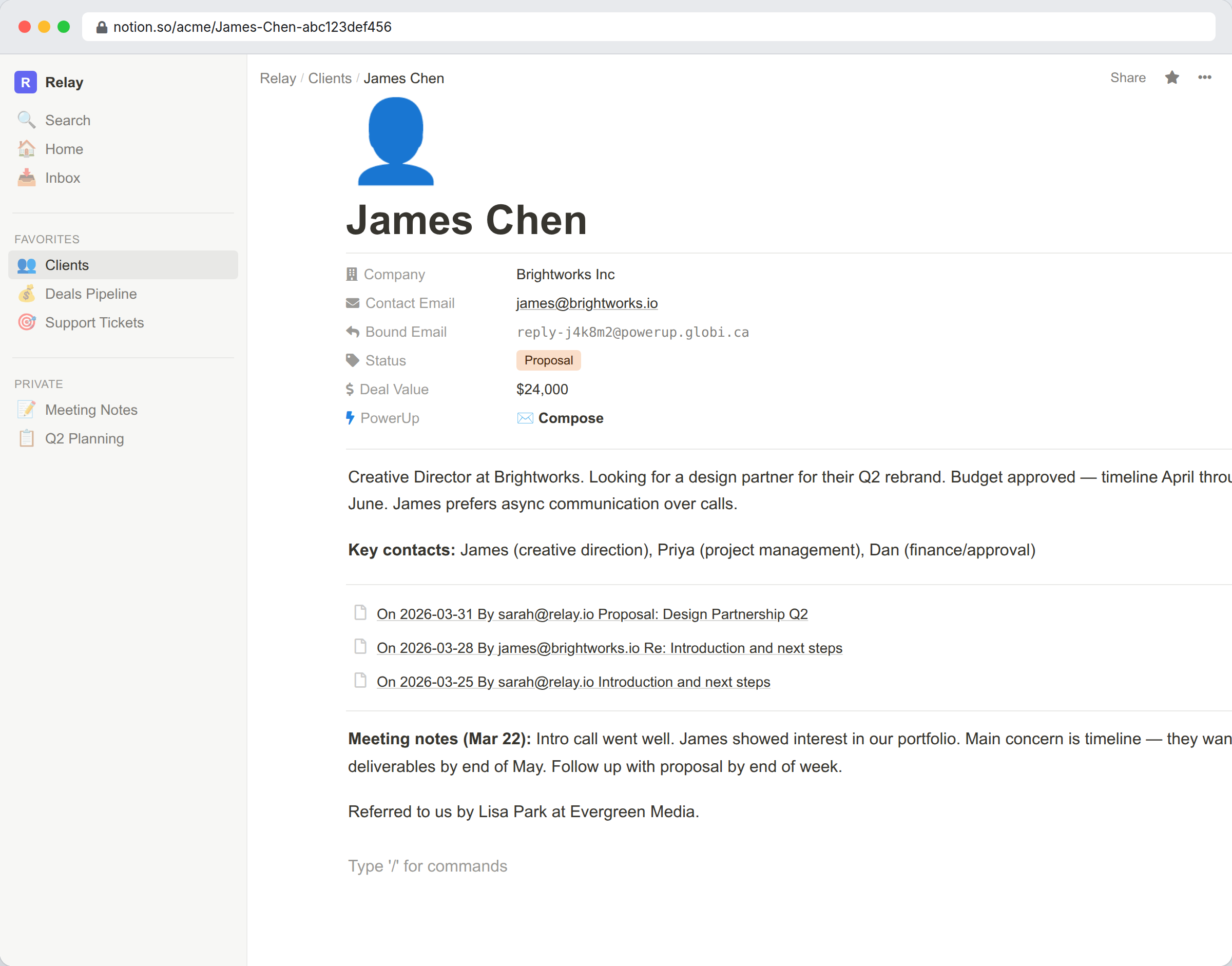
Conversation history on every record
Every email you send or receive becomes a sub-page under the Notion record. Open any contact and see the full thread — subjects, dates, and message previews — without leaving your workspace.
Your team sees the same history. No private inboxes, no lost context, no “did anyone follow up?”
PowerUp vs. vanilla Notion
| Capability | Notion alone | With PowerUp |
|---|---|---|
| Send email from a database record | ✕ | ✓ |
| Receive replies tied to records | ✕ | ✓ |
| Open and click tracking | ✕ | ✓ |
| Send from your own domain | ✕ | ✓ |
| Trigger on record created/updated/deleted | ✕ (limited buttons) | ✓ Real-time webhooks |
| Visual automation builder | ✕ | ✓ Drag-and-drop |
| Code-based automations | ✕ | ✓ PHPScript |
| AI-assisted automation builder | ✕ | ✓ Natural language |
| Property change detection | ✕ | ✓ |
| Data stays in Notion | ✓ | ✓ |